> For the complete documentation index, see [llms.txt](https://docs.whitespots.io/llms.txt). Markdown versions of documentation pages are available by appending `.md` to page URLs; this page is available as [Markdown](https://docs.whitespots.io/appsec-portal/features/findings-view/usable-filters-and-easy-sorting.md).
# Usable filters and easy sorting
**AppSec Portal** provides **all kinds of filters** to handle large numbers of reports:
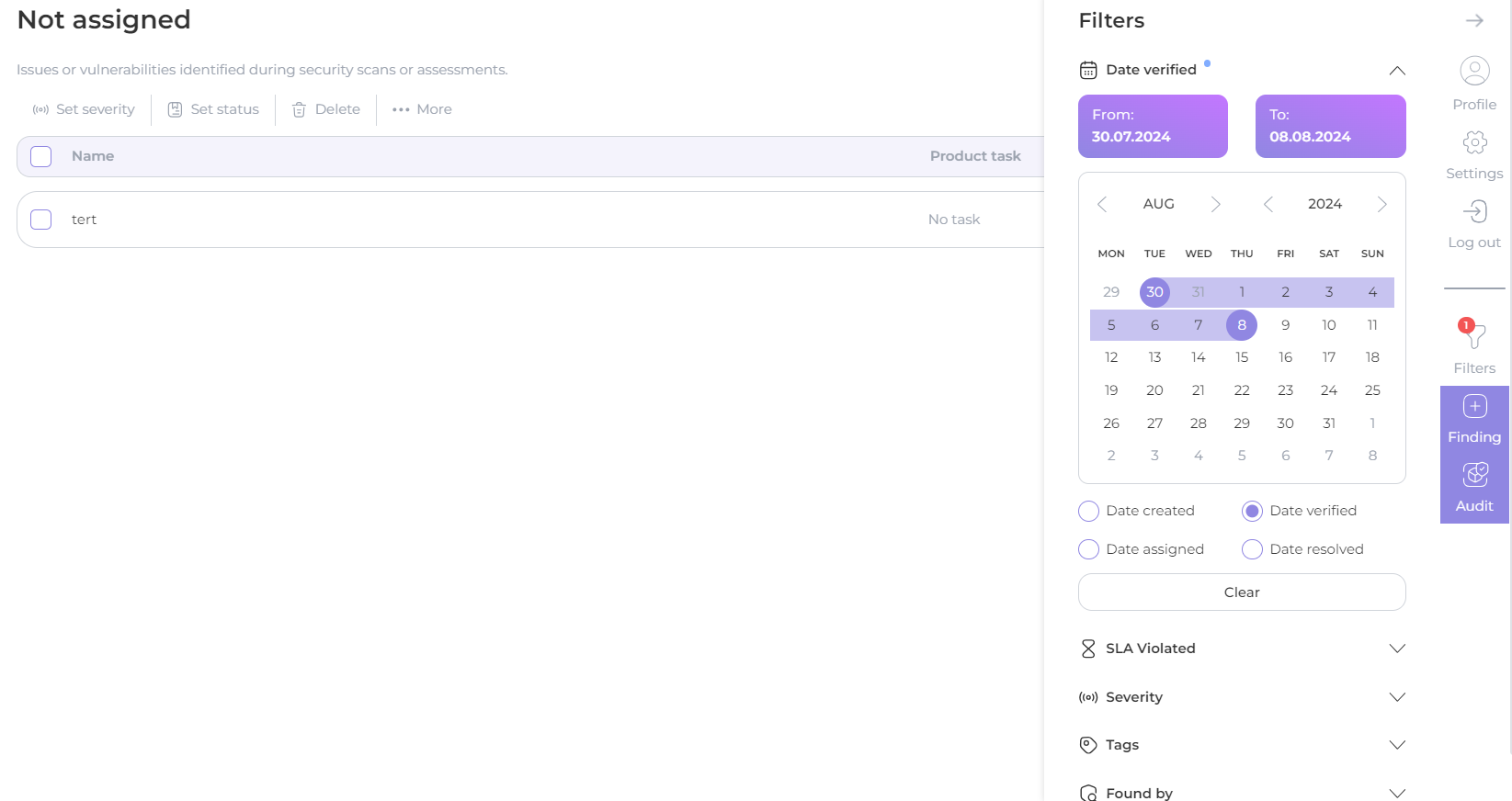
You can filter your findings not only by **date of creation**, but also by **verification date**, **assignment date** and **resolving date**:
You can **select several filters** at once for sampling accuracy:
SLA Violated - include or exclude:
* [x] Any
* [x] Verification SLA Violated
* [x] Assign SLA Violated
* [x] Resolve SLA Violated
Severity
* [x] Critical
* [x] High
* [x] Medium
* [x] Low
* [x] Info
Tags
* [x] Tags - select from drop-down list
* [x] Match Tags: Any, At least or Strict
* [x] Not Tags - select from drop-down list
Found by: include or exclude
* [x] Select **scanner name** from drop-down list of scanners (multi select option)
File path
* [x] Enter file path
Branch
* [x] Conteins: enter branch name
* [x] All
* [x] Empty
* [x] Not empty
Dependency
* [x] Enter dependency
Vulnerable URL
* [x] Enter vulnerable URL
Finding source
* [x] All
* [x] Portal
* [x] Other
Assets
* [x] Repository SSH URL: enter URL
* [x] Docker Image: enter registry
* [x] Domain: enter domain
* [x] Host: enter host
* [x] Cloud account: enter cloud account name
* [x] Asset tags: select tags from dropdown list
Automation
* [x] Any
* [x] Auto resolved by scanner setting
* [x] Auto verified by rule
* [x] Auto rejected by rule
* [x] Affected by CVSS rule
* [x] Affected by Autovalidator rule
* [x] Imported in Audit
Group
* [x] Select a group name from the drop-down list to be displayed as a result of filtering (multi-select option)
CWE
* [x] Select CWE from the drop-down list (multi-select option) - include or exclude
* [x] All
* [x] Empty
* [x] Not empty
Product
* [x] Product: select a product from the drop-down list to be **displayed** as a result of filtering (multi-select option)
* [x] Not product: select a product from the drop-down list to **exclude** from the filter result (multi-select option)
* [x] Product type: select a product type from the drop-down list to be displayed as a result of filtering (multi-select option)
* [x] Product tags: select a product tags from the drop-down list to be displayed as a result of filtering (multi-select option)
* [x] Product Business Criticality: select a filter range from 1 to 10
You can also **sort** the list of findings in ascending or descending order by clicking on the column header:
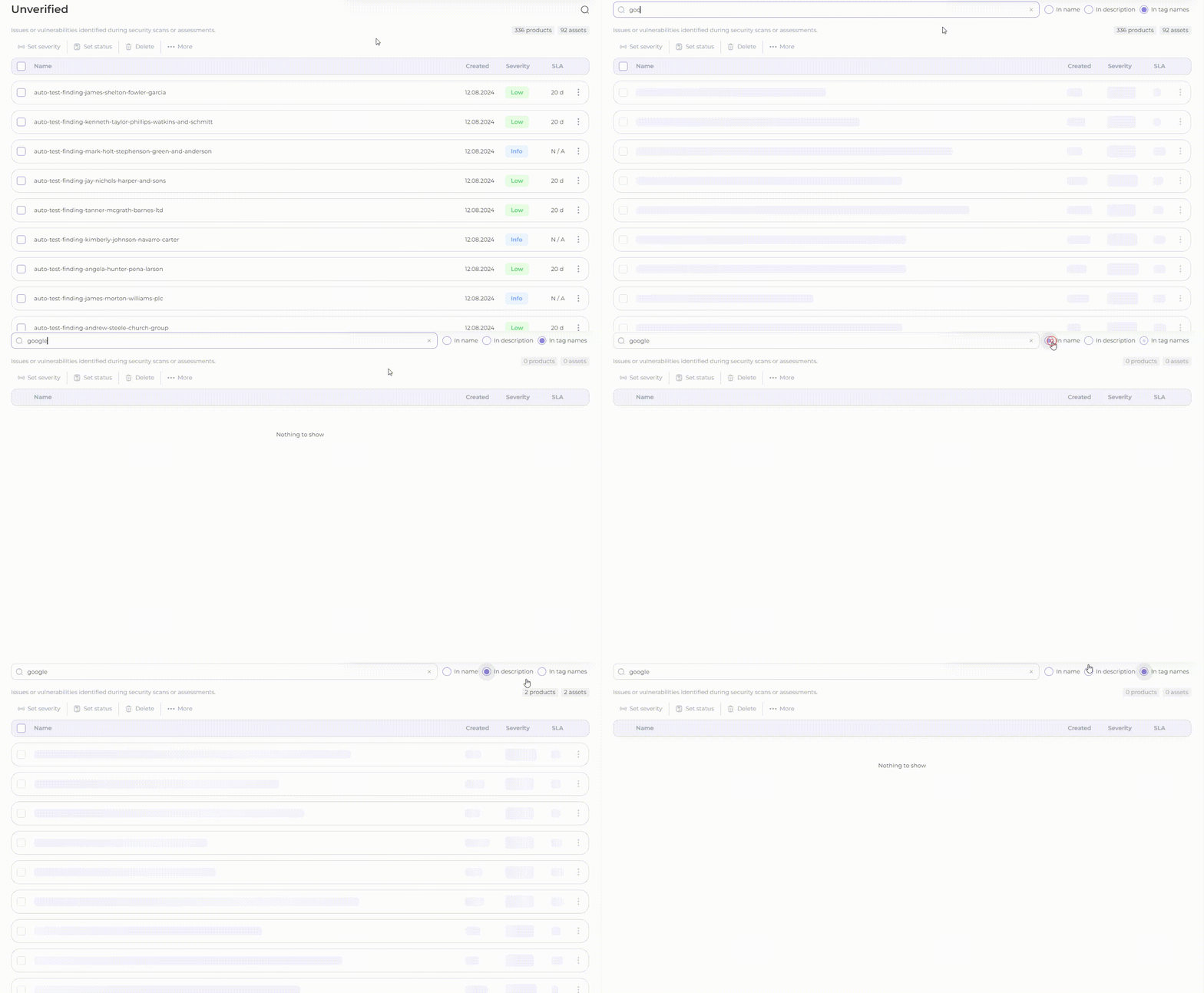
Click on the loupe sign to **search by specific name** (in finding name, in description or in tag):
.gif?alt=media&token=8c1b2011-fc87-444e-bbbb-437ae36c80a9)
.gif?alt=media&token=dd2b74bd-0d14-4ee4-81b9-76a2c8d41f53)